Digital vs Paper Report Cards: A Guide for Pakistani Schools

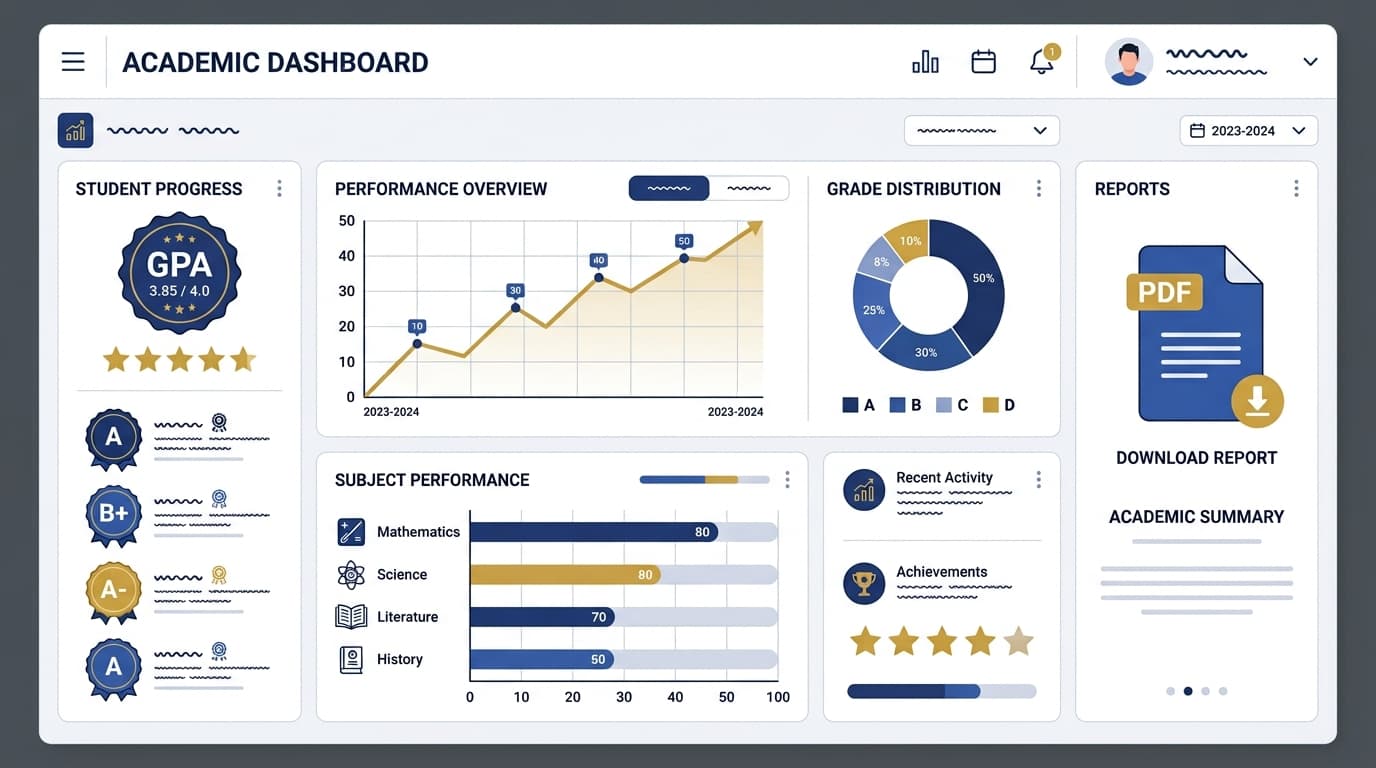
Report card season is the most predictable crunch in a Pakistani school's calendar — and one of the most avoidable. Every term, admin staff spend days consolidating marks from multiple teachers, formatting them into the school's template, checking for typos, and printing enough copies for every student before the deadline. It's the same fire drill, term after term, because the process itself hasn't changed even as everything upstream of it has gone digital.
The paper process, honestly assessed
A typical paper report card workflow looks like this: teachers submit marks on paper or in individual spreadsheets, an admin manually transfers every mark into the master template, someone proofreads for transcription errors, and the school prints and distributes physical copies. Each step is a place a number can get copied wrong, and by the time an error is caught — usually by a parent — reprinting and reissuing is its own delay.
For a school running three report card cycles a year (a common pattern: mid-term progress reports, an annual result, and a final promotion report), this fire drill repeats three times, and each cycle typically starts from scratch because the underlying gradebook was never a single, continuously updated source of truth. If your gradebook is still paper-based, our guide on digitising the gradebook is the logical first step before tackling report cards specifically, since report card generation depends entirely on the data quality upstream of it.
What changes with a digital system
When grades already live in a digital gradebook, generating report cards stops being a separate project. The same data teachers entered all term compiles automatically into a formatted, brandable PDF — no manual transcription step, and therefore no transcription errors to catch.
| | Paper | Digital | |---|---|---| | Time to generate a full grade's report cards | Days | Minutes | | Transcription errors | Common | Eliminated | | Distribution | Physical handout | PDF download + portal access | | Historical records | Filed on paper, easy to lose | Permanently stored, searchable | | Reissuing a corrected copy | Reprint and redistribute | Regenerate instantly | | Teacher comments and remarks | Handwritten, inconsistent length | Structured field, consistent format | | Mid-year transfer records | Photocopied file, often incomplete | Full history exported instantly |
Parents still want something they can hold
A common worry from Pakistani school leadership is that parents — particularly grandparents involved in a child's education — expect a physical report card and won't accept a digital-only version. This is a real consideration, not a solvable-by-ignoring-it one. The practical answer most schools land on is offering both: an automatically generated PDF that any parent can download and print themselves, alongside an optional printed copy from the school office for families who prefer it. The generation work happens once either way.
Keep your report card template close to what parents already recognise — same grading scale, same layout logic — even as you digitise. Familiarity matters more than a redesign during the transition term.
Teacher remarks and holistic comments
Paper report cards typically leave a couple of lines for a teacher's handwritten remark, which tends to compress into generic phrases like "good student, needs to improve in math" simply because there isn't room for more. A digital template can offer a structured remarks field with enough space for a genuinely useful comment, and can pull in relevant context automatically — attendance percentage for the term, a note if a subject's grade moved significantly from the previous term — so the teacher isn't writing that context by hand every time. This is also where a consistent attendance tracking system pays a second dividend: the attendance percentage on the report card is pulled directly from the same data used for daily marking, with no separate reconciliation step.
Enjoying this article?
Get one email a month with new guides on running a modern school. No spam.
Multilingual report cards
Schools serving families across a range of first languages can generate report card templates with bilingual labels — subject names and grade descriptors in both English and Urdu — without maintaining two separate manual templates. That's a formatting setting, not an extra term of admin work, once the underlying data is digital.
The real cost comparison
Printing paper report cards for a mid-sized school runs into real recurring cost — paper, printing, and the staff hours to assemble and check them, every single term. Digital generation has a one-time setup cost (building the template correctly) and then an effectively zero marginal cost per report card afterward. For a school issuing report cards to several hundred students three times a year, that difference adds up fast.
The comparison gets more favourable the more report card cycles a school runs and the more often corrections are needed. A single transcription error caught after distribution — a common occurrence with manual transfer — costs a full reprint-and-redistribute cycle on paper, versus regenerating one PDF and re-sending it digitally.
Making the switch without disrupting a term
The lowest-risk way to move is to run the digital report card generator alongside your existing paper process for one term, comparing outputs before retiring the manual template entirely. Once admin staff see the same report cards produced in minutes instead of days, with zero transcription errors, going back to the manual process stops being an option anyone wants to keep. If you'd like to see a sample template generated from live gradebook data before committing a term to the comparison, the Skolex report card generator shows how it works, or you can book a live demo of report cards.
Frequently asked questions
Do we need a fully digital gradebook before we can generate digital report cards?
Yes, largely — the report card generator's value comes from pulling data that's already accurate and up to date in the gradebook, rather than requiring a separate manual compilation step. If your gradebook is still paper-based, digitising it first (see our gradebook migration guide) makes the report card transition far simpler, since the hardest part — getting clean, structured data — is already solved.
Can we still print physical copies for parents who want them?
Yes. Most schools that switch keep a printed option available from the school office for families who prefer it, while making the PDF the default for everyone else. The report card is generated once either way — printing is just an output format, not a separate process.
How do digital report cards handle a student who transfers schools mid-year?
A digital system can export a student's complete academic history — grades, attendance, teacher remarks — as part of their transfer file, instead of a receiving school working from a partial photocopied record. This is one of the more underrated benefits, since transfer situations are exactly when incomplete paper records cause the most friction.
What happens if a mistake is found after report cards have already been sent out?
With a digital system, correcting the error and regenerating the affected report card takes minutes, and the corrected version can be redistributed the same way the original was — no reprinting, no physical redistribution. On paper, the same correction usually means reprinting and reissuing a physical copy, which can take days depending on the school's printing setup.
Will a digital report card still look like the template parents are used to?
It can, and we'd recommend it does, at least for the first year of transition. A digital report card generator can typically replicate your school's existing grading scale, layout, and branding closely enough that parents notice the format is familiar even though the process behind it has changed completely.

Written by the Skolex product and education team, working directly with schools on curriculum, gradebook, attendance, and communication workflows for KG through Grade 12.
Related articles

How to Choose a School Management System in Pakistan (2026 Guide)
What Pakistani private schools should check before buying school management software: Urdu, fees, parent messaging, pricing and data. Includes a sourced comparison of seven vendors.
Skolex Team
Oct 28, 2026
How to Choose School Management Software for UAE and Saudi Schools (2026 Guide)
What private and international schools in the UAE, Saudi Arabia and the wider Gulf should check before choosing school management software, with a sourced comparison of seven vendors.
Skolex Team
Oct 28, 2026
How to Digitise Your School's Gradebook
A practical guide to moving your school's grading from paper ledgers to a digital gradebook in five steps, without losing a single record along the way.

Skolex Team
Apr 10, 2026